
AI Outfit Changer: Restyle the Whole Look
An outfit is more than a shirt. This clothes changer treats the top, bottoms, outer layer, and footwear as one coordinated change, so the result reads as a real look instead of a pasted-on garment.
One Photo, a Whole Season of Outfits
A full restyling is a decision about the whole look, not a single-item edit. Here is what that makes possible.
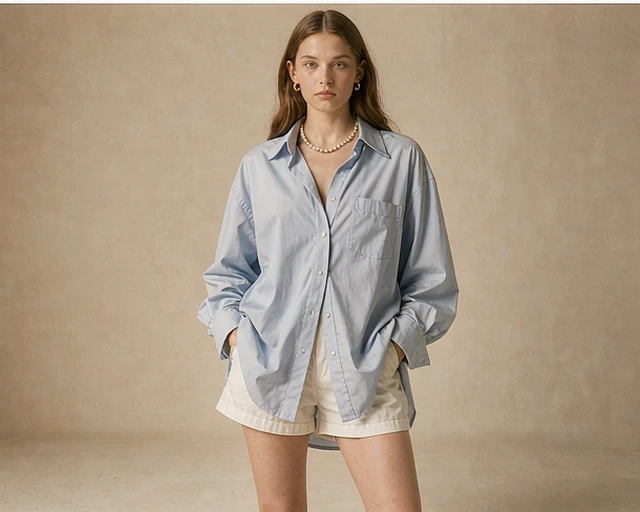
One portrait, a week of work outfits
Try a tailored blazer on Monday, a knit layer on Wednesday, and a relaxed shirt on Friday — all on the same photo. The face and framing never change, so the set looks like one session.
Build a look around one piece
Keep a favorite jacket or skirt and describe the rest around it. The outfit change can target one layer while the pieces you name stay exactly where they are.
Compare silhouettes before you buy
See a wide-leg trouser beside a straight cut, or a long coat beside a cropped one, on your own picture. Treat the result as a styling preview, not a sizing guarantee.
Built for a Complete Outfit Change
A coordinated look has to agree with itself — proportions, layers, and hem lines all at once.
A complete outfit, not a single item
Tops, bottoms, layers, and shoes are redrawn together so the proportions, hemlines, and overlaps make sense as one outfit change.
Ready-to-wear presets
Pick from everyday, workwear, evening, street, active, vacation, and heritage looks. Each outfit preset is a starting point you can refine with a description.
Describe the styling in words
Name a cut, color, fabric, and occasion in plain language. The clothes changer uses that description together with the photo to build the look.
Keep what already works
Ask for a new jacket and keep the trousers, or change the whole silhouette. What you name as unchanged stays unchanged.
Pick the Workflow That Fits the Job
Restyling all the clothing is one of four ways to work with a photo. The other guides cover a single garment, a dress, and how credits work.

AI Outfit Changer FAQ
Questions about coordinating a whole look from one source photo.
What is an AI outfit changer?
It is a browser tool that restyles all the clothing in a photo at once. You upload one person image, then choose an outfit preset, add a garment reference, or describe the look. The face, pose, and background stay the same.
Can a full restyling include shoes and accessories?
Yes, when the original photo shows them. Name the footwear and accessories you want in the description so they are treated as part of the outfit change rather than left behind.
How do I stop it from changing my face?
You do not need to do anything special. The clothes changer only redraws the clothing area; facial features, hairstyle, hands, and proportions are preserved by design.
Is a full outfit harder than changing one top?
It gives the model more to coordinate, so a clear, evenly lit photo with the whole body visible helps. Full-body and three-quarter shots make layers and hemlines easier to judge.
Can I keep one piece and change everything else?
Yes. Say which piece stays — for example, keep the jeans and shoes and change the rest. The description is what limits the change, so be explicit about it.
How many looks should I generate from one photo?
Generate a few alternatives from the same source image and compare them side by side. Because every result shares the same face and framing, small styling differences are much easier to see.
More guides: two-photo clothes swaps · dress and gown changes · what is free and what uses credits.
Restyle a Full Outfit in One Photo
Pick a preset, describe the styling, and compare the looks on the same picture.